Industrial Virtual Prototyping: Test Factory Ideas Before Build

Can your team prove a factory idea before committing budget, downtime, and physical buildout?
Industrial virtual prototyping gives engineering, operations, safety, and training teams a realistic way to test decisions before they become expensive physical changes. Instead of waiting for a machine, line, room, or workflow to exist, teams can inspect it as a connected 3D environment, simulate movement and constraints, and decide what should change while the cost of change is still low.
For Mimic Industrial XR, this sits at the intersection of digital twins, 3D scanning and motion capture, immersive training, and AI-supported industrial workflows. The result is a practical bridge between design intent and real-world performance.
Table of Contents
What Is Industrial Virtual Prototyping?
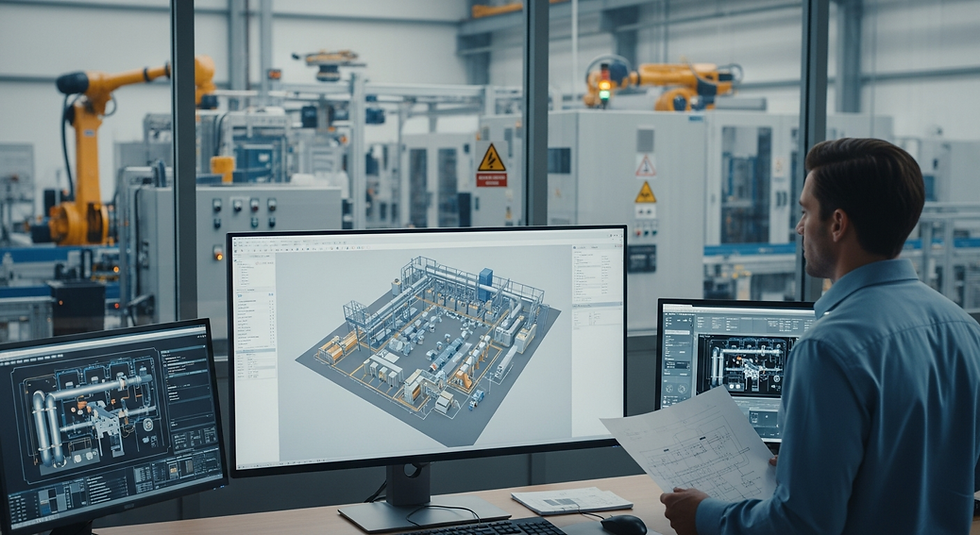
Industrial virtual prototyping is the practice of creating a realistic digital version of a product, process, space, or operating scenario so teams can explore it before they build, buy, shut down, or retrain around it. It is different from a static 3D model because the goal is not only to show shape. The goal is to show behavior: how equipment fits, how people move, how a process flows, how maintenance access works, how safety steps are practiced, and how data might appear when the asset becomes part of a live digital twin. The best virtual prototypes are built for decisions. They help teams answer questions such as whether a layout will slow operators down, whether technicians can reach the service panel safely, whether training steps match the real asset, and whether an automation cell leaves enough space for emergency response. When those questions are answered early, teams reduce late changes and enter physical execution with more confidence.
For companies already exploring AI-powered digital twins, virtual prototyping becomes the practical first step: a way to test, review, and improve the digital foundation before live operational data is connected.
Why Physical Prototypes Are No Longer Enough

Physical prototypes still matter, especially when materials, tolerances, and ergonomics must be tested in the real world. The problem is that physical prototypes are slow, costly, and often limited to one location. By the time they exist, many design choices are already politically or financially hard to reverse. Virtual prototyping changes the timing of learning. Teams can test layout, access, safety, maintenance, training, and collaboration earlier. They can also compare options without stopping a line or asking every stakeholder to travel to the same plant. Engineering teams can review designs before fabrication, operators can test task flow before procedures are finalized, safety teams can rehearse hazards before exposure in the field, and leadership teams can understand complex systems through immersive visualization. This is why industrial organizations increasingly combine virtual prototyping with XR safety training and remote collaboration instead of treating simulation as a design-only activity.
How Digital Twins Make Prototypes Operational

A digital twin extends a virtual prototype from design review into operational intelligence. Once live data, asset hierarchy, IoT signals, maintenance history, or simulation rules are connected, the prototype becomes a decision environment rather than a visual mockup. Mimic Industrial’s digital twin and simulation technologies are built around this idea. A high-fidelity replica can support process simulation, smart factory integration, virtual testing, and real-time visibility long after the first prototype review is complete. That matters because industrial teams rarely make isolated decisions. A machine move affects operator travel, safety zones, energy usage, maintenance access, throughput, training, and future automation. A digital twin gives those choices operational context, which is why virtual prototyping is strongest when it is planned as the front end of a larger data-connected environment.
The Virtual Prototyping Workflow

A strong virtual prototyping workflow starts with the question the organization needs to answer. The team should not build an impressive 3D scene first and decide later what it is for. The decision target drives the data, fidelity, devices, and level of interactivity. A practical workflow begins by capturing the real asset, environment, or process with CAD, LiDAR, photogrammetry, 3D scanning, and reference media. The team then builds the prototype with the right fidelity for the decision: visual, spatial, behavioral, data-connected, or fully interactive. Next, it simulates access, changeover, maintenance, safety response, training steps, and throughput constraints. Review can happen on desktop, VR, AR, or shared virtual collaboration environments. Finally, validated insight becomes engineering changes, SOP updates, training modules, or digital twin requirements. This workflow also turns one investment into many outputs: design review assets, industrial training modules, client demos, and future digital twin foundations.
Use Cases Across Industrial Teams

Virtual prototyping is useful wherever an industrial decision has spatial, procedural, or safety complexity. Manufacturing teams can validate line layouts, operator steps, robotics zones, and quality checks before equipment is installed. Energy and utility teams can rehearse high-risk field tasks and emergency response in a controlled digital environment. Construction and infrastructure teams can walk through site plans, check sequencing, and identify clashes before a physical build. Logistics teams can test material flow, warehouse layouts, loading procedures, and equipment interactions. Healthcare and medical technology teams can explore device handling, compliance procedures, and technical training without disrupting real environments. Because Mimic Industrial works across manufacturing, energy, construction, healthcare, supply chain, and oil and refinery environments, the topic fits the site’s wider industrial positioning instead of sitting in a narrow engineering silo. It also connects naturally to the existing post on XR remote expert guidance, because the same 3D environment used for review can later become part of field support.
Data and Technology Requirements

The required data depends on what the prototype must prove. A layout review may need CAD files, equipment dimensions, access zones, and stakeholder annotations. A safety simulation may need task steps, hazard logic, PPE requirements, shutdown procedures, and emergency-response paths. A training prototype may need motion capture, voice prompts, interaction states, scoring, and trainee feedback. Mimic Industrial’s technology stack supports this pipeline with 3D scanning, motion capture, AI integration, real-time simulation, and AR/VR deployment. The value is not just the toolset; it is the ability to decide which level of fidelity is worth building for the business question. For complex frontline workflows, an industrial AI avatar can act as a guided reviewer or training companion, explaining steps and helping teams compare scenarios in plain language. A useful rule is to model enough reality to make the decision trustworthy, but not overbuild details that no one will use.
FAQ
What is industrial virtual prototyping?
Industrial virtual prototyping is the creation of realistic digital versions of equipment, facilities, workflows, or operating scenarios so teams can test decisions before physical buildout.
How is virtual prototyping different from a digital twin?
A virtual prototype is usually built to test a future design or scenario. A digital twin connects the model to operational data so it can support monitoring, simulation, and decisions over time.
Which teams benefit from virtual prototyping?
Engineering, operations, safety, training, maintenance, quality, sales, and leadership teams can all benefit when a decision depends on spatial layout, workflow, or system behavior.
Does virtual prototyping require VR headsets?
No. Many prototypes work on desktop, web, or large displays. VR and AR become useful when spatial review, hands-on training, or immersive collaboration improves the decision.
What data is needed to start?
Most projects begin with CAD files, site photos, asset dimensions, SOPs, safety requirements, and target workflows. More advanced prototypes may use LiDAR scans, motion capture, IoT data, or simulation rules.
Can virtual prototypes reduce downtime?
Yes, especially when they help teams validate layouts, rehearse maintenance, check access, and train workers before equipment is installed or a shutdown window begins.
How does AI support industrial virtual prototyping?
AI can help analyze scenarios, summarize review feedback, guide users through prototypes, flag likely risks, and support training through avatar-based explanations.
What should companies prototype first?
Start with a decision where mistakes are expensive: a new line layout, equipment retrofit, safety-critical task, operator training program, or complex client demonstration.
Conclusion
Industrial virtual prototyping helps teams learn before the real-world cost of learning becomes too high. It gives engineers, operators, safety leaders, and training teams a shared environment where ideas can be tested, improved, and translated into safer physical execution. The strongest programs start with one clear decision, build only the fidelity needed to answer it, and reuse the resulting assets across digital twins, XR training, collaboration, remote expert guidance, and communication.


Comments